by
by Summary Box: A Speed Camera Alert App can warn drivers about speed cameras, speed limits and selected road hazards while they are driving. This guide explains the main features, alerts, navigation options and useful settings available in the app.
What Is a Speed Camera Alert App?
A Speed Camera Alert App is designed to provide advance warnings about different types of speed cameras and selected road conditions. It can work alongside navigation apps and provide voice or sound alerts, allowing drivers to receive information without constantly looking at the phone screen. The app also supports alerts for fixed, tunnel, average-speed and traffic-light cameras, depending on the available database and location.
Speed Camera Alert App: 7 Useful Features
1. Fixed Camera Warnings
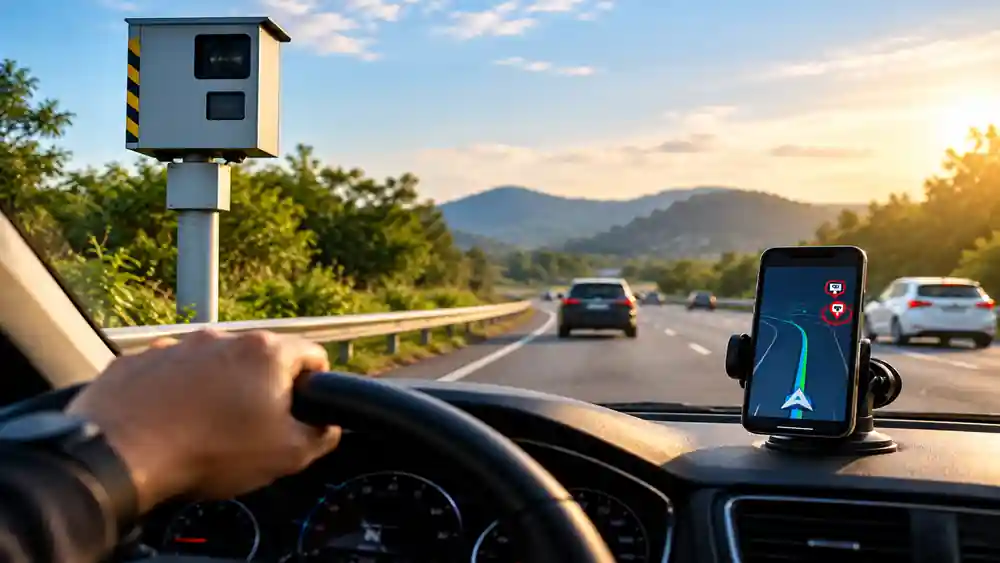
The app can notify drivers when they are approaching known fixed speed-camera locations. These alerts are intended to provide advance awareness so drivers can pay attention to the applicable road speed and traffic conditions.
2. Mobile Camera and Trap Alerts
It also provides alerts for possible mobile speed-camera locations and other reported situations. Real-time information can be contributed by its driving community, helping users receive updates about changing road conditions.
3. Speed Limit Notifications
The app can display or announce relevant speed-limit information. It supports different vehicle categories, including cars, motorcycles, trucks and commercial vehicles, with some features depending on the version being used.
4. Voice and Sound Alerts
Drivers can receive voice or sound notifications when approaching certain cameras or when speed-related alerts are triggered. This can make the warning easier to notice while keeping attention on the road.
5. Background Operation
The app can work together with other navigation or music applications. According to the official listing, alerts can continue in the background or while the phone screen is turned off.
6. Real-Time Road Reports
Community-based alerts can provide information about traffic jams, accidents, road hazards and other reported incidents. The available information can vary by location and user reports.
Table of Contents
7. Offline Navigation Options
The paid version offers offline navigation and 3D maps, along with speed-camera and speed-limit features. This can be useful in areas where mobile connectivity is limited.
How to Use the App
Download the app from an official store, allow the necessary location permissions and configure your preferred alert settings. Before driving, select the appropriate navigation options and warning preferences. Always follow the posted speed limit and local traffic regulations rather than relying solely on an app.
Is the App Free?
The official Google Play listing shows a free version with advertisements and in-app purchases. Additional features are available through paid versions.
Frequently Asked Questions
Does the app detect every speed camera?
No app can guarantee that every camera or road event will be detected. Information depends on its database, updates and available reports.
Can it work with another navigation app?
Yes. The official listing says it can work alongside other GPS navigation or music applications.
Does it work without internet?
Some navigation and alert features can work offline, particularly in the paid version with downloaded maps.
Is it available for iPhone?
Yes. An official iOS version is available through the Apple App Store.
APP DOWNLOADS
Conclusion
A Speed Camera Alert App can provide useful driving information through camera warnings, speed-limit notifications, voice alerts and road reports. It can also work alongside other navigation tools and offer offline features in its paid version. However, drivers should always rely on road signs, legal speed limits and safe driving practices as the primary guide.
Internal Link Suggestion:
High Volume App: 7 Amazing & Powerful Ways to Boost Sound
Official External Links:
Google Play – Official App Listing
Apple App Store – Official App Listing