by
by All Devices Detector Finder is an Android privacy tool designed to help users scan their surroundings for hidden cameras, microphones and tracking devices. This guide explains its main features, how the scanning works, and what you should know before relying on its results.
What Is All Devices Detector Finder?
All Devices Detector Finder is an Android app from DOSA Apps that uses the phone’s built-in magnetic sensor to help identify electronic devices and unusual magnetic readings. The developer markets it for checking places such as hotels, homes, offices and changing rooms for possible surveillance equipment. The Google Play listing currently shows 5M+ downloads, a 4.5-star rating and an August 13, 2026 update.
The important point is that a phone sensor is not the same as professional surveillance-detection equipment. Magnetic readings can also react to ordinary electronics and other objects, so an alert should be treated as something worth investigating rather than automatic proof that a hidden camera or listening device is present.
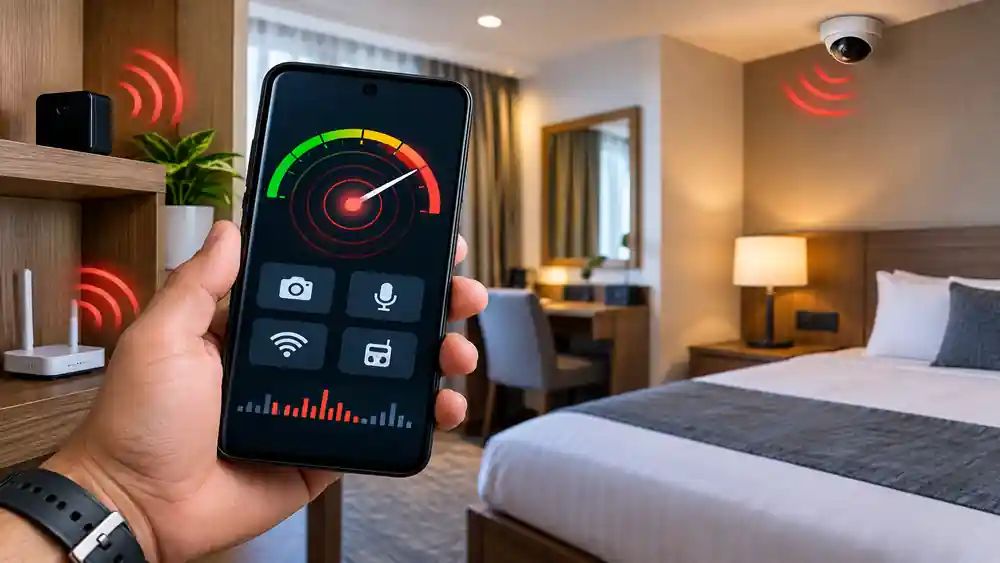
All Devices Detector Finder Features
The app’s official description highlights several detection-related uses:
- Hidden camera detection for scanning suspicious areas.
- Tracking device detection for possible electronic trackers.
- Microphone and listening-device checks using sensor readings.
- Electronic device detection around walls, ceilings and floors.
- Beeping and vibration alerts when the app detects unusual readings.
- Magnetic-field scanning using the phone’s built-in sensor.
- Portable privacy checks without requiring a separate detector.
These features can make a quick inspection easier when travelling or checking an unfamiliar room. However, detection performance depends on the phone’s available sensors and the type, position and power state of the device being investigated.
How to Use All Devices Detector Finder
Using the app is relatively straightforward. Start by opening the detector and allowing any required permissions. Move the phone slowly around areas where an electronic device could potentially be concealed, paying attention to changes in the displayed readings.
If the app produces an alert, check the surrounding area carefully rather than assuming that the object is a surveillance device. Ordinary electronics can produce magnetic fields too. Moving the phone around the suspected area from different directions can help you determine whether the reading remains consistent.
Table of Contents
Tips for Better Scanning
For a more useful check, keep the phone reasonably close to the area being inspected and avoid moving it too quickly. Items such as speakers, televisions, chargers and other electronics may influence sensor readings, so scan the room systematically instead of relying on one sudden alert.
Is All Devices Detector Finder Reliable?
The app can be useful as a basic awareness tool, but it should not be treated as a professional-grade detector. Its main detection method relies on the phone’s magnetic sensor, which means the results can be affected by normal electronic equipment and environmental conditions. Some Google Play reviews also report that the app detected ordinary objects or failed to identify certain hidden devices, showing why results should be interpreted carefully.
The Google Play listing also states that the app contains ads and in-app purchases. Its Data Safety section says the developer declares that the app may share device or other IDs with third parties, while also declaring that no data is collected; data is encrypted in transit and cannot be deleted according to the listing.
Frequently Asked Questions
Is All Devices Detector Finder free?
The Google Play listing shows the app as containing ads and in-app purchases, so some features or usage may involve paid options.
Does it detect every hidden camera?
No. A smartphone-based detector cannot guarantee detection of every hidden camera or electronic device. Results depend on the device, sensors and surrounding conditions.
Can I use it in a hotel room?
Yes. The developer specifically promotes it for checking hotels and other unfamiliar spaces.
Does it work without extra hardware?
The developer says the app uses the phone’s built-in magnetic sensor, so no separate detection device is required for its basic scanning method.
Conclusion
All Devices Detector Finder can provide a convenient first check when you want to inspect an unfamiliar space for unusual electronic or magnetic activity. Use its alerts as indicators for further inspection rather than definite proof, and consider professional equipment when a thorough security assessment is necessary.
Internal Link Suggestion:
Cleaner for WhatsApp
Official External Link(s):
All Devices Detector Finder – Official Website
All Devices Detector Finder – Google Play