by
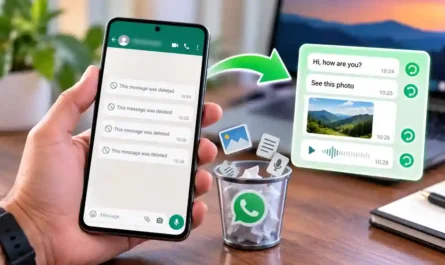
by Summary Box: Cleaner for WhatsApp helps Android users manage WhatsApp photos, videos, documents, and other media that consume phone storage. This guide explains its useful features, cleaning process, duplicate detection, automatic cleaning, and download details.
What Is Cleaner for WhatsApp?
Cleaner for WhatsApp is an Android storage-management app designed to help users find and remove unwanted WhatsApp media. The current Google Play listing from AURANODE LTD says the app can organize WhatsApp media in one place, clean files by category, preview content before deletion, and help recover storage space. It also supports automatic cleaning based on a regular interval or storage limit.
WhatsApp conversations can gradually create a large collection of images, videos, audio files, documents, and other media. Instead of searching through folders manually, a dedicated cleaner can make these files easier to review. This can be especially useful when your phone frequently shows low-storage warnings.

Cleaner for WhatsApp Features You Should Know
The app provides several tools for managing WhatsApp media more conveniently:
- Category-based cleaning: Browse media according to file type.
- Duplicate finder: Identify duplicate files that may be using unnecessary storage.
- Large-file management: Find bigger files that consume more space.
- Date and size sorting: Arrange files to make unwanted content easier to identify.
- Media preview: Check files before deleting them.
- Automatic cleaning: Set cleaning according to a chosen interval or storage limit.
- Move important files: Save selected media outside WhatsApp directories before cleaning.
These options give users more control than simply deleting an entire WhatsApp media folder. Always review important photos, videos, documents, and other personal files before confirming deletion.
Table of Contents
How to Use Cleaner for WhatsApp
Using the app is relatively straightforward. The exact storage-access screens can vary depending on your Android version and phone manufacturer.
- Install the app from Google Play.
- Open it and allow the required storage or media access.
- Let the app scan available WhatsApp media.
- Browse categories such as images, videos, or other files.
- Preview the files you want to remove.
- Select unnecessary items and confirm deletion.
- Use the automatic-cleaning option if you want scheduled storage management.
The current Play listing also states that the app can preview sent and received media separately, which can make it easier to decide what should be removed.
Is Cleaner for WhatsApp Safe?
The app is developed by AURANODE LTD and is listed on Google Play with ads and in-app purchases. Its current listing reports 1M+ downloads and an update dated August 18, 2026. The developer also states that the app is independent and has no relationship with WhatsApp.
Before deleting anything, review the selected files carefully. A storage-cleaning tool can remove media you still need, so keeping a backup of important content is a sensible precaution.
Frequently Asked Questions
What does Cleaner for WhatsApp do?
It helps Android users browse, organize, and remove WhatsApp media to recover phone storage.
Can it find duplicate WhatsApp files?
Yes. The current Google Play listing includes a duplicate-file finder for identifying duplicate media.
Can I preview files before deleting them?
Yes. The app listing says users can preview different WhatsApp media types before cleaning.
Does Cleaner for WhatsApp support automatic cleaning?
Yes. Automatic cleaning can be configured around a regular interval or storage limit.
Is it an official WhatsApp app?
No. The Google Play listing states that the application is not affiliated with WhatsApp Inc.
Conclusion
Cleaner for WhatsApp provides a convenient way to review WhatsApp media and identify files that may be occupying unnecessary storage. Features such as category filtering, duplicate detection, previews, sorting, and automatic cleaning can make regular storage management easier. Review important files carefully before deleting anything.
Internal Link Suggestion:
Touch Notch: 7 Amazing Ways to Turn Your Camera Notch Into a Smart Shortcut
Official External Link(s):
Cleaner for WhatsApp – Official Google Play Listing