by
by Summary Box: Birth Certificate Download Kerala is now convenient through Kerala’s digital local-government services. This guide explains how to search for an existing birth record, download the certificate on your phone and handle common problems.Birth Certificate Download Kerala makes it easier for people to access an available birth record without making an unnecessary visit to the local office.
How Does Birth Certificate Download Kerala Work?
A birth certificate is an important official document used for many purposes, including school admission, passport applications, identity-related services and other government procedures. In Kerala, birth certificates are issued through the Local Self Government system, and birth-certificate services are available through the K-SMART platform.
If the birth has already been registered, you can search for the record online instead of immediately visiting the local body office. The exact information requested can depend on the search method and the availability of the record in the digital system.
Birth Certificate Download Kerala: 7 Simple Steps
1. Open the Official K-SMART Portal
Start by opening the official K-SMART web portal on your mobile phone or computer. Kerala local-government websites currently direct citizens to K-SMART for services such as birth certificates and civil registration.
2. Open the Birth Certificate Service
Look for the Birth Certificate option under the available certificate or quick-service section. The portal provides access to birth-certificate services through the Local Self Government digital platform.
3. Select the Registration Location
Enter the relevant district and local body information requested by the portal. The registration location is important because the birth record is maintained by the concerned local registration authority.
4. Enter the Birth Details
Provide the details requested for the search, such as the date of birth and mother’s name or other matching information. Make sure the details are entered exactly as they appear in the registration record.
5. Search for the Registered Record
Submit the search and check the matching records displayed by the system. If the details match an existing digital record, you can proceed with the certificate option available on the portal.
6. Download the Certificate
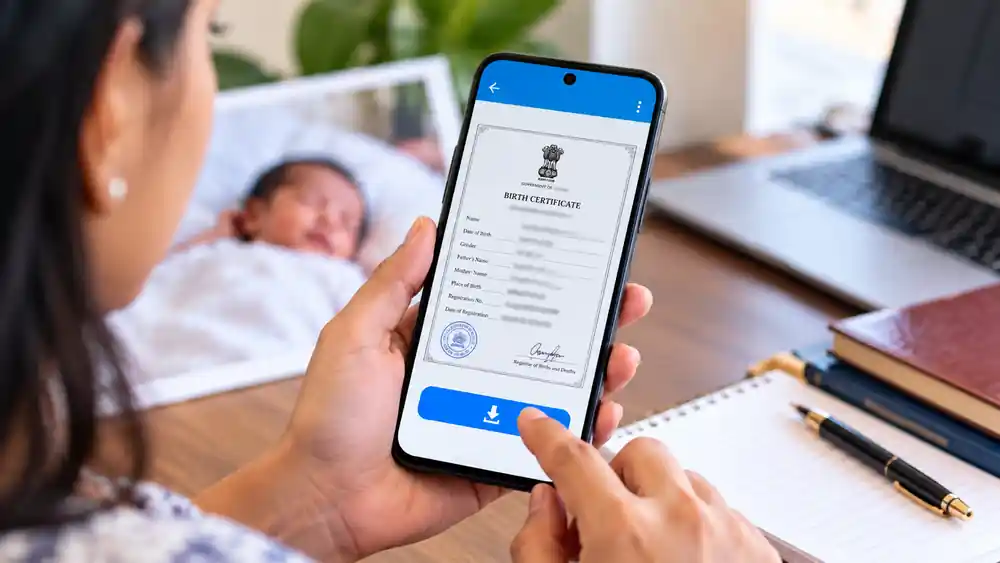
Once the correct birth record is displayed, use the available download option to obtain the certificate. Kerala’s official digital system supports computer-generated birth certificates, and an issued certificate can contain details such as the registration number, date of registration and issuing local body.
7. Save the Digital Copy
After downloading, save the PDF securely on your phone and keep another backup if necessary. Check the name, date of birth, parents’ names and registration details before using the certificate for an important application.
Table of Contents
What If the Birth Record Is Not Found?
An online search may not immediately return every older record. Kerala’s Local Self Government system includes both current digital services and legacy civil-registration systems, so older records may require a different search route or assistance from the concerned local body. The LSGD officially lists Sevana Civil Registration as part of Kerala’s civil-registration infrastructure.
If the information shown online is incorrect, do not create another record unnecessarily. Contact the concerned local registrar and ask about the correction procedure applicable to that birth record.If Birth Certificate Download Kerala does not show the expected record, verify the entered details and contact the concerned local registration authority when necessary.
Frequently Asked Questions
Can I download a Kerala birth certificate using my phone?
Yes. K-SMART provides local-government certificate services through an online portal that can be accessed from a mobile device.
Do I need to visit the local government office?
For an already registered record that is available online, you may be able to search and download the certificate digitally. Cases involving missing records or corrections may require further assistance from the local registration authority.
What details should I keep ready?
Keep the date of birth, mother’s name and the district/local-body information related to the original registration ready for the online search.
Is the downloaded certificate an official document?
Kerala’s computer-generated birth certificates are issued from the official registration records. A government-issued certificate can include the registration details and issuing authority.
Conclusion
Birth Certificate Download Kerala makes it easier to access an existing birth record without starting with a physical office visit. Use the official K-SMART platform, enter the registration details carefully and verify the certificate information before saving or using the downloaded copy. If an older record cannot be found online, contact the relevant local registration authority for the appropriate next step.
Internal Link Suggestion:
Phone Screen Hider: 7 Amazing & Powerful Privacy Features to Know
Official External Links:
Kerala Local Self Government Department
K-SMART Official Portal