by
by Summary: A Phone Screen Hider can help reduce unwanted viewing of your phone display in public or around other people. This guide explains the Screen Hider app’s main features, permissions, privacy considerations and how to get started.
What Is a Phone Screen Hider?
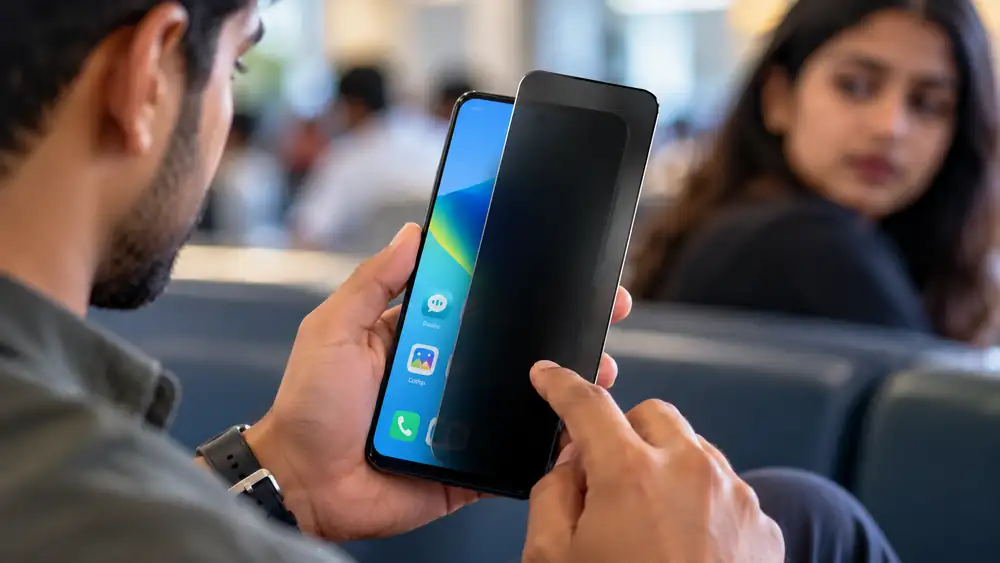
A Phone Screen Hider is designed to make your phone display less visible to people nearby. The Android app Screen Hider, developed by Titan Built Apps, can place different overlays over the active screen, including a blank display, book-style overlay and customizable visual effects. It also includes touch-lock and brightness controls.
This type of tool can be useful when reading messages, browsing or using your phone in a public place where someone nearby may be able to see the display. However, an overlay-based app is different from a physical privacy screen protector, so users should understand how the particular feature works before relying on it for sensitive information.
Phone Screen Hider: 7 Useful Features
1. Blank Screen Mode
The app can display a blank screen when you want to make the visible display less informative to people around you. It also offers alternative styles instead of only a plain black or blank appearance.
2. Book Overlay
The Book Overlay feature places a book-style visual over the running screen. According to the Play Store description, transparent gaps can allow the user to continue viewing the underlying screen while making it less obvious to people nearby.
3. Gallery Mode
Gallery Mode can display a random image from your phone’s gallery when the screen is hidden. This provides another visual alternative instead of simply showing a blank screen.
Table of Contents
4. Touch Lock
The Touch Lock option is designed to prevent accidental touches and unwanted interactions while the screen-hiding feature is active. This can be useful when you do not want an accidental tap to open or change something on the screen.
5. Brightness and Transparency Controls
The app provides controls for brightness and transparency, allowing users to adjust how much of the underlying display remains visible. This gives more control than using a fixed screen overlay.
6. Quick Launch App
Screen Hider includes a Quick Launch App option. According to its Google Play listing, a selected app can automatically open when you attempt to hide the screen, helping you move quickly between activities.
7. Fake Caller Feature
The app also provides a configurable Fake Caller feature that can display a simulated incoming call. The feature is intended as a diversion option and allows the contact information for the simulated caller to be customized.
How to Set Up Screen Hider
- Install Screen Hider from the official Google Play listing.
- Open the app and choose the screen-hiding style you want.
- Adjust brightness, transparency or other available settings.
- Grant the permissions requested by the app if you want to use features that require them.
- Test the overlay before using it with sensitive information.
The developer states that overlay permission and contacts permission are required for full use of the app’s features.
Is Phone Screen Hider Safe to Use?
The Google Play listing currently says the app contains ads and may share location and device or other IDs with third parties. It also states that the app may collect contacts, while data is encrypted in transit. These disclosures come from the developer’s Play Store data-safety information, so review the current permissions and privacy policy before installation.
Frequently Asked Questions
Is Screen Hider available for Android?
Yes. Screen Hider is currently listed on Google Play for Android and has 10K+ downloads on the listing checked.
Can it hide the entire phone screen?
The app provides blank-screen and overlay options intended to hide or obscure the display. The exact result can depend on the selected mode and settings.
Does it require special permissions?
Yes. The developer says overlay permission and contacts permission are needed for full functionality.
Is there an iPhone version?
I could not verify an official Apple App Store listing for this specific Screen Hider app, so an iOS download link should not be presented as official.
Conclusion
A Phone Screen Hider can provide additional control over what your display looks like when other people are nearby. Screen Hider offers blank-screen, book-overlay, gallery, touch-lock, transparency and quick-launch features, but users should review its permissions and data-safety information before installing it.
Official External Link(s):
Land Document Check Online Kerala: 7 Easy & Powerful Ways to Verify Property Records
App availability:
Android: Google Play