 by
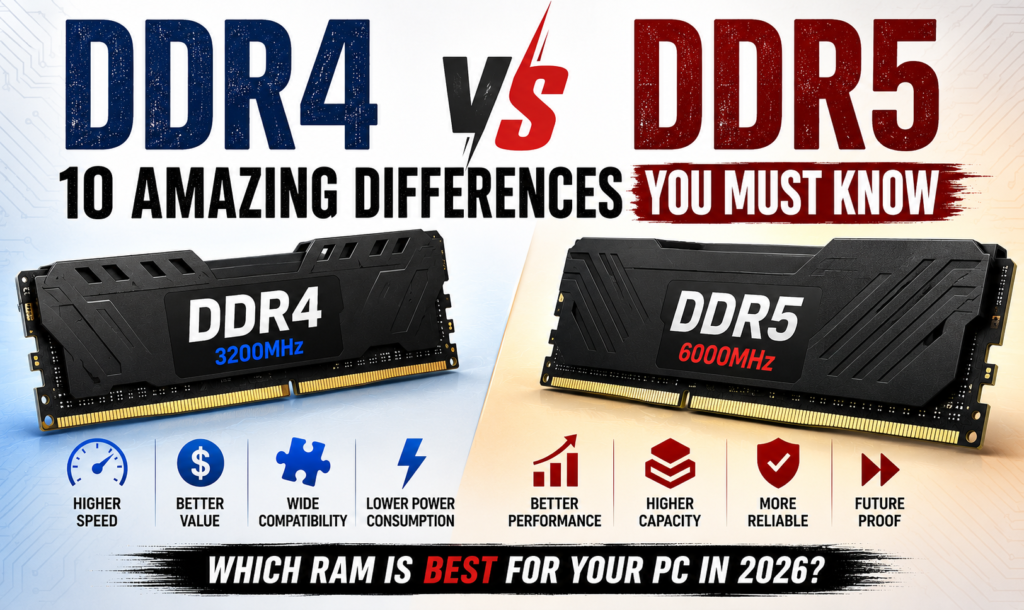
by DDR4 vs DDR5 RAM: Which One Should You Buy in 2026?
Choosing the right RAM is one of the most important decisions when building or upgrading a laptop or desktop PC. One of the biggest questions users ask today is Compare Compare DDR4 vs DDR5 RAM in 2026 to discover the differences in speed, gaming performance, pricing, compatibility, power efficiency,in 2026 to discover the differences in speed, gaming performance, pricing, compatibility, power efficiency,—which one offers better gaming performance, faster speeds, improved multitasking, and better value for money? As modern software, games, and professional applications become more demanding, selecting the right memory technology is more important than ever.
RAM, or Random Access Memory, plays a vital role in your computer’s performance. It temporarily stores the data your processor needs, allowing applications to run quickly and efficiently. Whether you’re a gamer, programmer, video editor, graphic designer, student, or office user, the type of RAM installed in your system directly affects how smoothly your computer performs.
For many years, DDR4 RAM has been the industry standard. It provides excellent performance, wide compatibility, and affordable pricing, making it the preferred choice for millions of users worldwide. However, the arrival of DDR5 RAM has introduced significant improvements in speed, bandwidth, efficiency, memory capacity, and overall system responsiveness. These enhancements make DDR5 an attractive option for users building a new PC or upgrading to the latest Intel and AMD platforms.
This comprehensive DDR4 vs DDR5 RAM guide explains everything you need to know before making a purchase. We’ll compare speed, gaming performance, productivity, compatibility, pricing, power consumption, overclocking, future-proofing, and real-world benchmarks to help you determine which memory technology is the right investment in 2026. Whether you’re upgrading an older computer or assembling a high-performance gaming PC, this guide will help you make an informed decision.
If you’re confused about DDR4 vs DDR5 RAM, you’re not alone. The DDR4 vs DDR5 RAM comparison has become one of the most searched topics among gamers, content creators, programmers, and PC enthusiasts in 2026. While DDR4 RAM remains a reliable and affordable choice for everyday computing, DDR5 RAM introduces significant improvements in speed, bandwidth, power efficiency, and future-proofing. When comparing
DDR4 vs DDR5 RAM, DDR5 offers faster data transfer rates, higher memory capacities, and improved performance in demanding tasks such as 4K video editing, 3D rendering, software development, and high-end gaming. However, DDR4 vs DDR5 RAM is not simply about choosing the newest technology—your decision should also depend on your motherboard compatibility, processor support, workload, and budget.
Users upgrading an older PC may find DDR4 to be the more cost-effective option, while those building a new system can benefit from DDR5’s advanced architecture and long-term value.
This detailed DDR4 vs DDR5 RAM guide explains the key differences in gaming performance, multitasking, productivity, pricing, power consumption, compatibility, and overall performance, helping you decide which memory technology is the best investment for your desktop or laptop in 2026. Whether you’re planning a budget upgrade or building a powerful next-generation PC, understanding DDR4 vs DDR5 RAM will help you make the right choice.
The DDR4 vs DDR5 RAM debate is more relevant than ever as new processors, motherboards, and software continue to evolve. When comparing DDR4 vs DDR5 RAM, it is important to understand that the best choice depends on your budget, compatibility, and performance requirements.
DDR4 vs DDR5 RAM is not just about speed; it also includes memory bandwidth, power efficiency, gaming performance, multitasking capabilities, and long-term upgrade potential. Many users searching for DDR4 vs DDR5 RAM want to know whether upgrading to DDR5 is worth the investment or if DDR4 still provides enough performance for everyday computing and gaming. In reality, DDR4 vs DDR5 RAM offers different advantages depending on your workload
DDR4 remains an excellent value for existing systems, while DDR5 delivers higher bandwidth and better future-proofing for modern PCs. Before making a purchase, always compare DDR4 vs DDR5 RAM based on your processor, motherboard, and intended use. Understanding the complete DDR4 vs DDR5 RAM comparison ensures that you invest in the right memory for both current performance and future upgrades.
Table of Contents
What Is RAM?
Random Access Memory (RAM) is a high-speed hardware component that temporarily stores data currently being used by your computer. Unlike an SSD or HDD, RAM does not permanently save files. Instead, it provides your processor with instant access to the information needed to run Windows, launch applications, play games, edit videos, and multitask efficiently.
Whenever you open a web browser, edit documents, stream videos, compile code, or play a game, your computer loads the required data into RAM. More RAM and faster RAM generally result in smoother performance and better responsiveness.
Choosing between DDR4 vs DDR5 RAM ultimately depends on your specific needs. If you already own a DDR4-compatible motherboard, upgrading within the DDR4 platform is usually the most economical option.
However, if you are building a new computer, the DDR4 vs DDR5 RAM comparison clearly favors DDR5 because of its faster speeds, improved efficiency, and longer lifespan.
Whether your priority is gaming, programming, video editing, or professional productivity, understanding DDR4 vs DDR5 RAM will help you make a smarter buying decision.
As technology continues to advance, DDR4 vs DDR5 RAM will remain one of the most important comparisons for anyone planning to build or upgrade a PC in 2026.
Benefits of Faster RAM
- Faster application loading
- Better multitasking
- Improved gaming performance
- Reduced system lag
- Quicker file processing
- Faster video editing
- Better virtual machine performance
- Improved overall productivity
- DDR4 vs DDR5 RAM for Gaming
- DDR4 vs DDR5 RAM for Programming
- DDR4 vs DDR5 RAM for Video Editing
- DDR4 vs DDR5 RAM Buying Guide
- DDR4 vs DDR5 RAM Final Verdict
Without enough RAM, your computer starts using storage as virtual memory, which significantly slows down performance.
What Is DDR4 RAM?
DDR4 stands for Double Data Rate Fourth Generation memory. Introduced in 2014, DDR4 quickly became the standard memory technology for desktops and laptops because it offered better performance and lower power consumption than DDR3.
Today, DDR4 is still widely used in gaming PCs, office computers, budget laptops, and professional workstations. It delivers excellent real-world performance while remaining affordable and compatible with a broad range of Intel and AMD processors.
DDR4 Specifications
- Speed: 2133 MT/s to 3600 MT/s (higher with overclocking)
- Voltage: 1.2V
- Lower latency
- Stable performance
- Excellent compatibility
Advantages of DDR4 RAM
- Affordable pricing
- Wide motherboard compatibility
- Reliable performance
- Ideal for budget PC builds
- Easy availability
- Excellent gaming experience
Best For
- Students
- Office users
- Home users
- Budget gamers
- Existing DDR4 systems
- Everyday computing
DDR4 continues to be an excellent option for users who already own compatible hardware and want reliable performance without spending extra on a new platform.
What Is DDR5 RAM?
DDR5 stands for Double Data Rate Fifth Generation memory. It is the latest generation of RAM designed to deliver higher bandwidth, improved efficiency, and better scalability for modern processors and demanding workloads.
Compared to DDR4, DDR5 introduces significant architectural improvements, including higher memory frequencies, lower operating voltage, increased module capacities, and better power management. These enhancements make DDR5 the preferred choice for high-performance gaming systems, professional workstations, and future-ready PCs.
DDR5 Specifications
- Speed: 4800 MT/s to 8400+ MT/s
- Voltage: 1.1V
- Higher bandwidth
- Improved efficiency
- Larger module capacities
- Better memory management
Advantages of DDR5 RAM
- Extremely fast performance
- Higher memory bandwidth
- Lower power consumption
- Improved multitasking
- Better productivity
- Future-ready technology
Best For
- Gamers
- Programmers
- Video editors
- Graphic designers
- Engineers
- Content creators
- AI workloads
- High-end workstations
Although DDR5 costs more than DDR4, its performance improvements make it a worthwhile investment for users building a modern PC.
DDR4 vs DDR5 RAM: Key Differences
Although DDR4 and DDR5 perform the same basic function, they differ significantly in architecture, speed, efficiency, and future compatibility.
| Feature | DDR4 RAM | DDR5 RAM |
|---|---|---|
| Generation | Fourth | Fifth |
| Speed | Up to 3600 MT/s | 4800–8400+ MT/s |
| Voltage | 1.2V | 1.1V |
| Bandwidth | Lower | Much Higher |
| Maximum Capacity | Lower | Higher |
| Power Efficiency | Good | Excellent |
| Future Support | Limited | Outstanding |
The most noticeable difference is speed. DDR5 provides significantly higher memory bandwidth, allowing modern processors to perform better in demanding workloads.
DDR4 vs DDR5 RAM Architecture
DDR5 introduces several major architectural improvements over DDR4.
Some of the most important improvements include:
- Dual independent 32-bit memory channels
- On-die Error Correction (ECC)
- Integrated Power Management IC (PMIC)
- Increased bank groups
- Higher memory density
- Better bandwidth utilization
These enhancements improve stability, efficiency, and performance, especially when multiple applications are running simultaneously.
Why Choosing the Right RAM Matters
Many users focus on buying a faster processor or graphics card while ignoring the importance of RAM. However, choosing the right RAM can significantly improve your computer’s overall experience.
The right RAM can help with:
- Faster Windows performance
- Better gaming experience
- Smoother multitasking
- Faster software compilation
- Improved rendering speed
- Better video editing
- Faster content creation
- Future upgrade flexibility
If your system doesn’t have enough RAM or uses slower memory, even powerful hardware may not deliver its full potential.
Who Should Buy DDR4 or DDR5 RAM?
Choose DDR4 RAM If You:
- Already own a DDR4 motherboard
- Want the best value for money
- Have a limited budget
- Use your PC for office work, browsing, or casual gaming
- Don’t plan to upgrade your motherboard soon
Choose DDR5 RAM If You:
- Are building a brand-new PC
- Want maximum gaming performance
- Edit 4K or 8K videos
- Run virtual machines
- Develop software professionally
- Need better multitasking
- Want a future-proof system
Performance Overview
Both DDR4 and DDR5 are excellent memory technologies, but they serve different audiences. DDR4 remains one of the best options for budget-conscious users because it offers stable performance, low cost, and broad compatibility. It is more than capable of handling everyday tasks, gaming, programming, and office work.
DDR5, however, represents the future of computer memory. Its significantly higher bandwidth, lower power consumption, and improved architecture make it ideal for gamers, professionals, creators, and users building new-generation PCs. While DDR5 requires a compatible motherboard and processor, its long-term value and future-proofing make it a smart investment for modern systems.
DDR4 vs DDR5 RAM Speed Comparison
When comparing DDR4 vs DDR5 RAM, speed is one of the biggest differences users notice. DDR5 was designed to deliver significantly higher bandwidth than DDR4, allowing modern processors to access data more quickly. This improvement benefits gaming, professional workloads, multitasking, and applications that rely heavily on memory performance.
DDR4 memory typically starts at 2133 MT/s and commonly ranges up to 3600 MT/s in consumer systems. High-end overclocked kits can reach even higher speeds, but they require compatible motherboards and processors.
DDR5, on the other hand, starts at 4800 MT/s and premium models can exceed 8400 MT/s. The increased bandwidth allows DDR5 to transfer much more data every second, making it ideal for demanding applications and future-generation hardware.
Speed Comparison Table
| Feature | DDR4 RAM | DDR5 RAM |
|---|---|---|
| Base Speed | 2133 MT/s | 4800 MT/s |
| Common Speed | 3200–3600 MT/s | 5600–6400 MT/s |
| High-End Speed | 5000 MT/s (OC) | 8400+ MT/s |
| Voltage | 1.2V | 1.1V |
| Bandwidth | Lower | Much Higher |
For users running heavy workloads, DDR5’s increased bandwidth provides smoother overall performance.
Gaming Performance
Many gamers wonder whether upgrading from DDR4 to DDR5 will dramatically increase FPS.
The answer depends on the game, processor, and graphics card.
In GPU-intensive games, the difference between DDR4 and DDR5 is usually small. However, in CPU-dependent games and esports titles, DDR5 often delivers slightly better average frame rates and improved 1% low FPS, resulting in smoother gameplay.
Games that benefit from faster memory include:
- Counter-Strike 2
- Valorant
- Fortnite
- Cyberpunk 2077
- Hogwarts Legacy
- Microsoft Flight Simulator
- Forza Horizon 5
- Assassin’s Creed Shadows
For competitive gamers using high-refresh-rate monitors, DDR5 offers a noticeable advantage.
Winner
DDR5 RAM
Productivity Performance
Modern productivity software benefits greatly from increased memory bandwidth.
Applications such as:
- Microsoft Office
- Google Chrome
- Adobe Acrobat
- Visual Studio Code
- Figma
- Canva
- AutoCAD
run smoothly on both DDR4 and DDR5. However, when multiple heavy applications are open simultaneously, DDR5 maintains better responsiveness.
Users who regularly multitask between browsers, office software, communication apps, and creative tools will appreciate DDR5’s improved efficiency.
Winner
DDR5 RAM
Video Editing Performance
Video editing software places heavy demands on memory bandwidth.
Applications including:
- Adobe Premiere Pro
- DaVinci Resolve
- Adobe After Effects
- CapCut
- Final Cut Pro (Mac equivalent)
benefit from faster RAM, especially while editing high-resolution videos.
DDR5 improves:
- Timeline responsiveness
- Preview rendering
- Project loading
- Export performance
- Media cache generation
Editors working with 4K and 8K footage will notice the biggest improvements.
Winner
DDR5 RAM
Programming Performance
Developers often run several applications at the same time.
Typical development tools include:
- Visual Studio
- Visual Studio Code
- Android Studio
- IntelliJ IDEA
- Docker
- Virtual Machines
- Git
Large projects compile faster when paired with faster memory.
Developers using Android emulators, Docker containers, and virtual machines especially benefit from DDR5.
Winner
DDR5 RAM
3D Rendering Performance
Professional software such as:
- Blender
- Autodesk Maya
- Cinema 4D
- Unreal Engine
- Unity
relies heavily on CPU performance and memory bandwidth.
DDR5 reduces waiting times during rendering, scene loading, and simulation workloads.
While the difference may not always be dramatic, professionals working daily with 3D applications can save valuable time.
Winner
DDR5 RAM
Multitasking Performance
Today’s users often keep dozens of browser tabs open while running several applications simultaneously.
For example:
- Chrome with 50 tabs
- Microsoft Teams
- Photoshop
- Spotify
- Visual Studio Code
- Discord
- File Explorer
DDR5 handles these workloads more efficiently because of its higher bandwidth and improved memory architecture.
System responsiveness remains smoother even under heavy multitasking.
Winner
DDR5 RAM
Content Creation Performance
Content creators work with large files every day.
Tasks include:
- Photo editing
- Video production
- Graphic design
- Animation
- Music production
Applications such as Adobe Photoshop, Lightroom, Illustrator, Premiere Pro, and DaVinci Resolve all benefit from faster memory.
DDR5 provides shorter loading times and faster project handling for professional creators.
Winner
DDR5 RAM
Benchmark Comparison
| Workload | DDR4 RAM | DDR5 RAM |
|---|---|---|
| Gaming | ⭐⭐⭐⭐☆ | ⭐⭐⭐⭐⭐ |
| Video Editing | ⭐⭐⭐⭐☆ | ⭐⭐⭐⭐⭐ |
| Programming | ⭐⭐⭐⭐☆ | ⭐⭐⭐⭐⭐ |
| Rendering | ⭐⭐⭐⭐☆ | ⭐⭐⭐⭐⭐ |
| Multitasking | ⭐⭐⭐⭐☆ | ⭐⭐⭐⭐⭐ |
| Productivity | ⭐⭐⭐⭐☆ | ⭐⭐⭐⭐⭐ |
| Future-Proofing | ⭐⭐⭐☆☆ | ⭐⭐⭐⭐⭐ |
Real-World Performance
For everyday users browsing the web, watching YouTube, attending online meetings, and using Microsoft Office, the difference between DDR4 and DDR5 is relatively small. Both memory technologies provide a smooth and responsive experience for general computing tasks.
However, users who regularly edit videos, create 3D content, develop software, run virtual machines, or play the latest AAA games can benefit from DDR5’s higher bandwidth and improved efficiency. As software continues to evolve, DDR5 is better equipped to handle future workloads.
Is DDR5 Worth It?
If you are building a completely new computer with the latest Intel or AMD processor, DDR5 is generally the better choice. It offers higher speeds, greater memory bandwidth, lower power consumption, and better long-term value.
If you already own a DDR4-based system that performs well, upgrading only the RAM may not provide enough improvement to justify replacing your motherboard and processor. In many cases, investing in a better graphics card or a faster NVMe SSD can have a bigger impact on overall performance.
For new PC builds, though, the DDR4 vs DDR5 RAM comparison clearly favors DDR5 as the more future-ready memory technology.
Power Consumption
When comparing DDR4 vs DDR5 RAM, power efficiency is another important factor to consider. Although RAM does not consume as much power as the processor or graphics card, lower power consumption helps improve overall system efficiency, especially in laptops.
DDR4 operates at 1.2V, while DDR5 runs at 1.1V. This lower voltage allows DDR5 to consume less power while delivering significantly higher performance. DDR5 also includes an onboard Power Management Integrated Circuit (PMIC), which manages power delivery more efficiently than DDR4.
For desktop users, the difference in electricity usage is minimal. However, laptop users may experience slightly better battery life with DDR5 memory during everyday tasks.
Winner
DDR5 RAM
Power Efficiency Comparison
| Feature | DDR4 RAM | DDR5 RAM |
|---|---|---|
| Operating Voltage | 1.2V | 1.1V |
| Power Management | Motherboard | Onboard PMIC |
| Energy Efficiency | Good | Excellent |
| Battery Performance | Good | Better |
Price Comparison
Price remains one of the biggest deciding factors when choosing between DDR4 and DDR5.
DDR4 memory has been available for many years, making it widely available and much more affordable. Users can easily find quality DDR4 kits at competitive prices.
DDR5 memory initially launched at premium prices, but costs have dropped significantly. Even so, DDR5 kits generally remain more expensive than comparable DDR4 kits. Additionally, upgrading to DDR5 often requires purchasing a compatible motherboard and processor, increasing the total upgrade cost.
If you’re on a tight budget, DDR4 offers excellent value for money.
Winner
DDR4 RAM
Compatibility
Compatibility is one of the most important differences in the DDR4 vs DDR5 RAM comparison.
DDR4 and DDR5 are not physically or electrically compatible. They use different pin layouts and motherboard designs, meaning a DDR4 module cannot be installed in a DDR5 motherboard, and a DDR5 module cannot be installed in a DDR4 motherboard.
Always check your motherboard specifications before purchasing new RAM.
DDR4 Compatible Platforms
- Intel 6th to 13th Gen (selected models)
- AMD Ryzen 1000 to Ryzen 5000 series
- Older desktop and laptop systems
DDR5 Compatible Platforms
- Intel 12th Gen and newer
- AMD Ryzen 7000 series and newer
- Latest gaming and workstation motherboards
Winner
Depends on Your System
Motherboard Support
Choosing the correct motherboard is essential when upgrading RAM.
DDR4 Motherboards
Common chipsets include:
- Intel B660 (DDR4 versions)
- Intel Z690 (DDR4 models)
- AMD B550
- AMD X570
DDR5 Motherboards
Common chipsets include:
- Intel B760
- Intel Z790
- AMD B650
- AMD X670
- AMD X870
Before buying RAM, always verify whether your motherboard supports DDR4 or DDR5.
Overclocking
Memory overclocking allows RAM to run at higher speeds than its default specifications.
DDR4 has matured over many years, making it stable and reliable for overclocking. Enthusiasts can often achieve excellent performance with high-quality DDR4 kits.
DDR5 also supports overclocking and offers much higher frequency potential. Premium DDR5 modules can exceed 8000 MT/s, providing exceptional performance for enthusiasts and professional users.
Winner
DDR5 RAM
Reliability
Both DDR4 and DDR5 are highly reliable when purchased from trusted manufacturers.
Popular RAM brands include:
- Corsair
- Kingston
- Crucial
- G.Skill
- TeamGroup
- ADATA XPG
- Patriot
- Lexar
These companies provide quality memory modules backed by warranties and excellent long-term reliability.
Winner
Tie
Lifespan
RAM has one of the longest lifespans among computer components.
Under normal conditions, both DDR4 and DDR5 memory can last 10 years or more. Since RAM contains no moving parts, failures are relatively uncommon.
Proper cooling, stable power delivery, and quality components help maximize memory lifespan.
Winner
Tie
Heat Generation
DDR5 modules include onboard PMICs, which may generate slightly more localized heat than DDR4. However, modern heat spreaders effectively manage temperatures.
For typical users, heat differences are negligible.
Enthusiasts who overclock their memory should ensure adequate case airflow.
Winner
Tie
Capacity Options
Both DDR4 and DDR5 are available in multiple capacities.
Common consumer options include:
- 8GB
- 16GB
- 32GB
- 64GB
DDR5 also supports significantly higher capacities for professional workstations and enterprise systems.
Winner
DDR5 RAM
Pros and Cons
DDR4 RAM
Pros
- Affordable pricing
- Excellent compatibility
- Mature and stable technology
- Ideal for budget builds
- Great gaming performance
- Widely available
Cons
- Lower memory bandwidth
- Less future-proof
- Limited maximum speed
- Lower maximum capacity
DDR5 RAM
Pros
- Much faster speeds
- Higher bandwidth
- Better multitasking
- Lower operating voltage
- Future-ready technology
- Supports higher capacities
Cons
- Higher initial cost
- Requires compatible motherboard
- Requires compatible processor
Which RAM Should You Buy?
Buy DDR4 RAM If You:
- Already own a DDR4 motherboard
- Want a budget-friendly upgrade
- Mainly browse the web and use Office applications
- Play games casually
- Don’t plan to replace your motherboard soon
Buy DDR5 RAM If You:
- Are building a new PC
- Want maximum gaming performance
- Edit videos professionally
- Work with 3D rendering
- Develop software
- Use virtual machines
- Want a future-proof system
Best RAM Recommendations
Best DDR4 RAM
- Corsair Vengeance LPX
- Kingston Fury Beast DDR4
- Crucial Ballistix
- G.Skill Ripjaws V
Best DDR5 RAM
- Corsair Vengeance DDR5
- Kingston Fury Beast DDR5
- G.Skill Trident Z5 RGB
- Crucial Pro DDR5
- TeamGroup T-Force Delta RGB DDR5
Final Comparison Table
| Feature | DDR4 RAM | DDR5 RAM |
|---|---|---|
| Speed | ⭐⭐⭐⭐☆ | ⭐⭐⭐⭐⭐ |
| Gaming | ⭐⭐⭐⭐☆ | ⭐⭐⭐⭐⭐ |
| Multitasking | ⭐⭐⭐⭐☆ | ⭐⭐⭐⭐⭐ |
| Productivity | ⭐⭐⭐⭐☆ | ⭐⭐⭐⭐⭐ |
| Video Editing | ⭐⭐⭐⭐☆ | ⭐⭐⭐⭐⭐ |
| Price | ⭐⭐⭐⭐⭐ | ⭐⭐⭐⭐☆ |
| Compatibility | ⭐⭐⭐⭐⭐ | ⭐⭐⭐⭐☆ |
| Future-Proofing | ⭐⭐⭐☆☆ | ⭐⭐⭐⭐⭐ |
| Power Efficiency | ⭐⭐⭐⭐☆ | ⭐⭐⭐⭐⭐ |
Overall Verdict Before the Final Section
The DDR4 vs DDR5 RAM comparison clearly shows that DDR5 is the superior technology in terms of speed, bandwidth, efficiency, and future-proofing. It is the ideal choice for new PC builds, gaming enthusiasts, professionals, and anyone seeking maximum performance.
However, DDR4 remains an excellent option for existing systems and budget-conscious users. If your current motherboard supports DDR4 and your PC already meets your needs, upgrading to DDR5 may not be necessary unless you’re also replacing your processor and motherboard.
Complete Buying Guide
Before buying new RAM, consider your workload, motherboard compatibility, processor support, and budget. Choosing the right RAM is not only about speed—it is about selecting memory that matches your system and future upgrade plans.
Step 1: Check Motherboard Compatibility
The first step is to identify whether your motherboard supports DDR4 or DDR5 memory.
- DDR4 motherboards only support DDR4 RAM.
- DDR5 motherboards only support DDR5 RAM.
Since both memory types have different pin layouts, they cannot be installed interchangeably.
Always check your motherboard manufacturer’s specifications before purchasing RAM.
Step 2: Choose the Right Capacity
The amount of RAM you need depends on your workload.
8GB RAM
Best for:
- Students
- Web browsing
- Microsoft Office
- Online classes
16GB RAM
Best for:
- Gaming
- Programming
- Photoshop
- Video conferencing
- Everyday multitasking
32GB RAM
Recommended for:
- Professional gaming
- 4K video editing
- Software development
- Content creation
- Virtual machines
64GB RAM or More
Ideal for:
- 3D rendering
- AI development
- Enterprise workloads
- Heavy multitasking
- Professional workstations
Step 3: Choose the Correct RAM Speed
For DDR4:
- 3200 MT/s offers the best value.
- 3600 MT/s is excellent for gaming.
For DDR5:
- 5600 MT/s provides excellent performance.
- 6000–6400 MT/s is considered the sweet spot for many modern Intel and AMD systems.
Choosing extremely high-speed RAM is not always necessary unless your workload benefits from it.
Step 4: Buy RAM from Trusted Brands
Reliable brands include:
- Corsair
- Kingston
- Crucial
- G.Skill
- TeamGroup
- ADATA XPG
- Patriot
- Lexar
These manufacturers provide high-quality memory modules, good warranties, and reliable customer support.
Step 5: Enable XMP or EXPO
Many RAM kits do not run at their advertised speeds by default.
After installing new memory, enter your BIOS and enable:
- Intel XMP
- AMD EXPO
This allows your RAM to operate at its rated speed for maximum performance.
Common Buying Mistakes
Avoid these common mistakes when purchasing RAM:
- Buying DDR5 for a DDR4 motherboard
- Buying DDR4 for a DDR5 motherboard
- Choosing incompatible RAM speeds
- Ignoring motherboard QVL compatibility lists
- Purchasing low-capacity memory for demanding workloads
- Forgetting to enable XMP or EXPO
- Mixing different RAM brands and speeds
- Buying without checking processor compatibility
Frequently Asked Questions (FAQs)
Which is better: DDR4 or DDR5 RAM?
DDR5 RAM is better because it provides higher speeds, greater bandwidth, lower power consumption, and improved future compatibility.
Is DDR5 worth buying in 2026?
Yes. If you are building a new PC or upgrading to the latest Intel or AMD platform, DDR5 is the recommended choice because it offers better long-term value.
Can DDR4 RAM be used in a DDR5 motherboard?
No. DDR4 and DDR5 use different physical designs and are not compatible with each other.
Does DDR5 improve gaming FPS?
DDR5 can improve average FPS and 1% low FPS in some CPU-intensive games, especially when paired with high-end processors and graphics cards.
Is DDR4 still good for gaming?
Yes. DDR4 remains an excellent choice for gaming and everyday computing, especially for users who already own a compatible motherboard.
Which RAM is better for programming?
DDR5 is generally better because its higher bandwidth improves multitasking, compiling large projects, and running virtual machines.
How much RAM do I need in 2026?
- 8GB for basic use
- 16GB for most users
- 32GB for gaming and professional work
- 64GB+ for advanced workloads
Final Verdict
The DDR4 vs DDR5 RAM comparison shows that both memory technologies have their own strengths. DDR4 remains an excellent choice for users who want reliable performance, broad compatibility, and affordable pricing. It continues to deliver outstanding results for gaming, office work, web browsing, and everyday computing.
DDR5, however, represents the future of computer memory. With significantly higher bandwidth, lower power consumption, improved memory architecture, and support for the latest processors, DDR5 is the ideal choice for gamers, content creators, software developers, engineers, and professionals who demand maximum performance.
If you already own a DDR4-based system, upgrading only to DDR5 may not be worth the additional cost of replacing your motherboard and processor. However, if you are building a completely new PC in 2026, DDR5 is the smarter long-term investment and offers the best overall performance.
https://www.computric.in/nvme-ssd