by
by Quick Summary:Learn how to complete LPG Gas e-KYC using your mobile phone in 2026. This guide explains the verification process, required details, official mobile apps and how to check your e-KYC status.
Completing LPG Gas e-KYC Online can save eligible consumers time by allowing them to check the available verification options from home. Before starting, identify your LPG provider and visit its official website or mobile application. The steps may differ depending on whether you use Indane, Bharatgas or HP Gas.
LPG Gas e-KYC Online is a simple way for eligible domestic LPG consumers to verify their identity using a mobile phone. In 2026, customers of Indane, Bharatgas and HP Gas can check the available Aadhaar authentication options and follow the official verification process from home. This guide explains the steps to complete e-KYC, the mobile apps you may need and how to check your verification status.
The procedure may differ depending on your LPG provider and the authentication method available. Before starting, keep your LPG consumer details and registered mobile number ready. You may also need your Aadhaar details and access to your phone’s camera for face authentication.
How to Complete LPG Gas e-KYC Online in 2026
LPG Gas e-KYC Online allows eligible consumers to check the available digital verification process through their LPG provider’s official website or mobile application. Follow the instructions provided by your gas company to complete the required authentication..LPG e-KYC helps verify the identity of a domestic gas consumer using an approved digital authentication method. Aadhaar-based biometric or face authentication may be used to confirm consumer details and meet applicable verification requirements.
Consumers should follow the instructions issued by their LPG provider and the relevant government authorities. Completing verification through an official channel can help you avoid unnecessary visits to the gas agency. However, the exact requirements may depend on your connection and current eligibility, so check the latest instructions before submitting your details.
How to Complete LPG Gas e-KYC at Home in 2026
Follow these steps to find the appropriate verification option for your LPG connection.
Step 1: Visit Your LPG Company’s Official Website
First, identify your LPG provider: Indane, Bharatgas or HP Gas. Open its official website using your mobile browser and look for consumer services, Aadhaar authentication or e-KYC instructions. Use only the official portal to avoid fraudulent websites that may collect personal information.
Step 2: Open the Official LPG Mobile App
Depending on your provider, you may be able to use an official mobile application to complete the verification process. Sign in if required and look for the relevant Aadhaar authentication or e-KYC option. Follow the instructions displayed in the app, as the available features may vary between providers.
Step 3: Keep Your Aadhaar and Consumer Details Ready
Keep your LPG consumer number, registered mobile number and Aadhaar details available if requested. Check that the information matches your connection records. Enter your details only in the official application or website, and never disclose an OTP, banking PIN or password to an unknown person claiming to help with e-KYC.
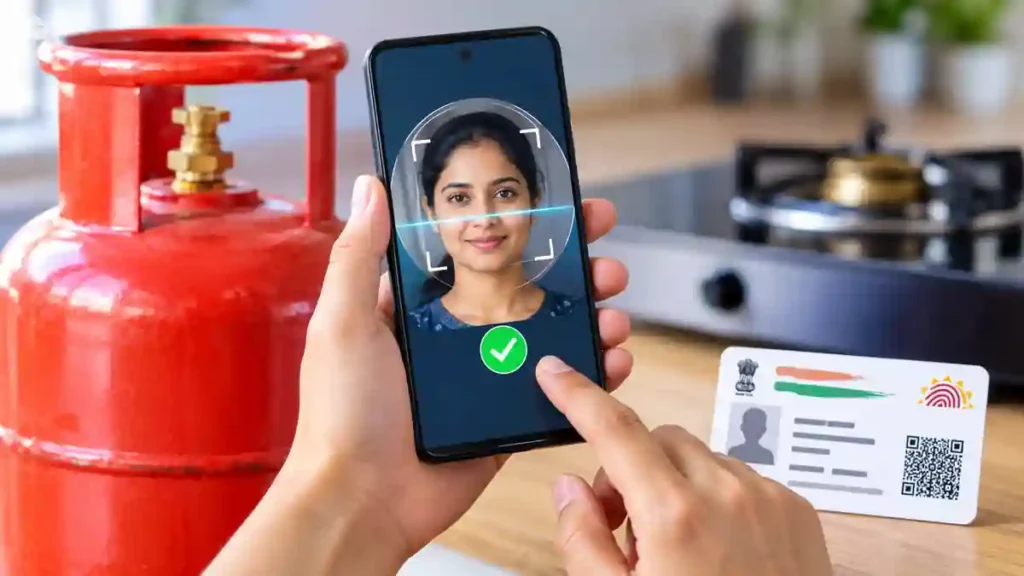
Step 4: Complete Aadhaar Face Authentication
If the official application offers face authentication, follow its instructions to complete the process. You may be asked to install the Aadhaar FaceRD application as well. Allow the required camera permission, stand in a well-lit place and follow the on-screen face-scanning instructions. Submit the verification and wait for a confirmation message.
Step 5: Check Your LPG e-KYC Status
After completing the authentication, revisit the official app or consumer portal to check whether your verification has been recorded. If the status remains pending or authentication fails, retry according to the instructions. If the problem continues, contact your authorised LPG distributor for assistance.
After submitting your details, check whether LPG Gas e-KYC Online verification has been completed successfully. If your application shows a pending status, follow the instructions provided by your LPG company. Contact your authorised distributor if you need help with authentication or updating your consumer details.
Which Mobile App Should You Use for LPG e-KYC?
Choose the official application associated with your gas connection. The commonly used applications include:
- Indane: IndianOil ONE
- Bharatgas: HelloBPCL
- HP Gas: HP PAY
- Aadhaar face authentication: Aadhaar FaceRD, if required by the official process.
For official guidance, visit the LPG e-KYC portal. Check the application instructions before downloading anything, as the process and app requirements may change.
Is LPG Gas e-KYC Compulsory for Consumers in 2026?
Requirements can depend on the consumer category and applicable government instructions. A government announcement may specify when biometric Aadhaar authentication is required for domestic LPG refills and how existing verified consumers are treated. Check the latest official announcement or contact your distributor to confirm whether you need to complete verification.
What to Do If LPG Aadhaar Verification Fails
If authentication fails, check your internet connection, camera permissions and lighting before trying again. Make sure you are using the correct official application and follow any instructions about installing the required face-authentication app.
Table of Contents
If the issue continues, contact your LPG distributor and ask how to complete verification through an approved alternative. Avoid unofficial links, paid authentication offers and requests for confidential information.
Frequently Asked Questions About LPG Gas e-KYC
Can I Complete LPG e-KYC Using My Mobile Phone?
Yes. You can use your smartphone to access the official LPG service and complete the available digital authentication process, provided your connection and verification method are eligible.
Is LPG Gas e-KYC Free of Charge?
Use the official company application or portal for self-authentication. Be cautious of third parties demanding payment or asking for sensitive personal information.
What Should I Do If Face Authentication Fails?
Check your camera settings, lighting and internet connection, then try again. If the problem persists, contact your authorised gas distributor.
Do I Need to Complete LPG e-KYC Again?
If your authentication has already been successfully recorded, you may not need to repeat it. Check your current status and follow the latest instructions from your LPG provider.
Conclusion
LPG Gas e-KYC Online provides an easy way for eligible consumers to access digital identity verification through a mobile phone. Use your LPG provider’s official application, complete the required Aadhaar authentication and check your verification status. If you encounter any problems, contact your authorised gas distributor for assistance.
Internal Link Suggestion: EV Autorickshaw Subsidy Kerala: 7 Powerful Facts About the ₹30,000 Benefit
Official External Links: