by
by Summary Box: Ledger Wallet is the official crypto management app from Ledger, formerly known as Ledger Live. It lets users manage supported digital assets, monitor markets, make transactions and connect compatible Ledger hardware devices.
What Is Ledger Wallet?
Ledger Wallet is a crypto application designed to work with Ledger’s hardware signers and digital-asset ecosystem. The app is available on Android, iPhone, Mac and desktop platforms, giving users a central place to view and manage supported crypto assets.
The app is more than a simple portfolio viewer. Depending on the asset, country and available third-party services, users can send, receive, buy, sell, swap or stake crypto. It also provides access to NFTs and decentralized applications through its Discover section.
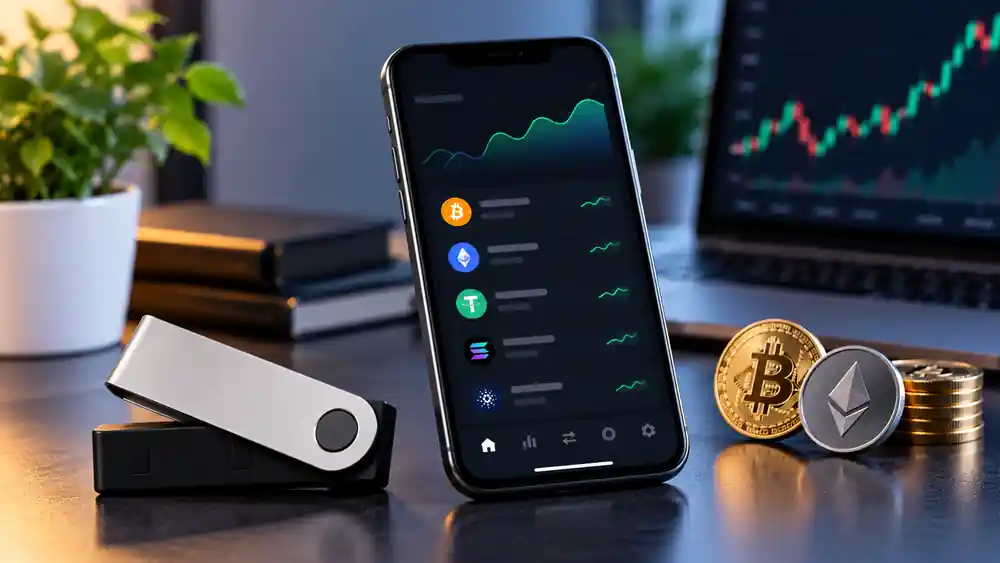
Ledger Wallet: 7 Useful Features to Know
1. Manage Multiple Crypto Assets
The application supports a broad range of cryptocurrencies and tokens, including Bitcoin, Ethereum, USDT, XRP, Solana and many others. Supported assets and services can change, so users should check the current list before making a transaction.
2. Connect a Ledger Hardware Signer
Ledger Wallet is designed to work with compatible Ledger hardware devices. The official information states that the mobile application can connect with Ledger touchscreen signers through Bluetooth, helping users review and approve transactions on their device.
3. Send and Receive Crypto
Users can manage transfers from the application by selecting supported assets and entering the required transaction details. Before approving any transfer, carefully verify the destination address and network because blockchain transactions can be difficult or impossible to reverse.
4. Buy, Sell and Swap
Depending on location and available providers, the app offers access to services for buying, selling and swapping digital assets. These services may be provided by third parties, so fees, availability and terms can vary.
5. Track Markets and Portfolio Activity
Ledger says the app can provide market information and track more than 15,000 crypto assets. This can help users review their holdings and follow market movements from one interface.
6. Explore Staking, NFTs and DeFi
The app includes access to staking services for selected assets and a Discover area for decentralized applications. Users can also manage digital collectibles through supported NFT marketplaces. Availability depends on the asset, service provider and country.
7. Use Mobile or Desktop
Ledger Wallet is available across mobile and desktop platforms. The official download page provides separate options for Windows, macOS, Linux, iOS and Android.
How to Start Using Ledger Wallet
- Download the application from Ledger’s official website or the appropriate app store.
- Install and open the app on your device.
- Connect a compatible Ledger hardware signer if you use one.
- Add or view supported crypto accounts.
- Review balances and available services.
- Carefully verify transaction information before approving anything.
Never share your recovery phrase or PIN with another person or enter sensitive recovery information into an unofficial website or application.
Is Ledger Wallet Safe?
Ledger states that its signers keep private keys offline and use Secure Element technology. However, no crypto service removes all risks. Users should verify addresses, avoid suspicious links and download the application only from official sources. Google Play currently reports that the app may share or collect certain data types, with data encrypted in transit.
Frequently Asked Questions
What is Ledger Wallet?
It is Ledger’s official crypto wallet application, formerly called Ledger Live, for managing supported digital assets and interacting with compatible Ledger devices.
Is Ledger Wallet free?
The official iOS listing shows the application as free, while transaction and third-party service fees may apply depending on the service used.
Can I use Ledger Wallet without a Ledger device?
The exact features available can vary, but Ledger’s ecosystem is primarily designed around its hardware signers and supported crypto services.
Is Ledger Wallet available on Android?
Yes. Ledger provides an official Android version through Google Play.
Where should I download Ledger Wallet?
Use Ledger’s official download page or the verified Google Play and Apple App Store listings rather than third-party APK websites.
Conclusion
Ledger Wallet brings crypto management, market information and supported digital-asset services into one application. Its connection with Ledger hardware signers adds another layer to the self-custody workflow, while features such as transfers, swaps, staking, NFTs and market tracking make it more than a basic wallet viewer. Always verify transactions and use official download sources.
Internal Link Suggestion:
Upcoming Vivo Phone: 7 Amazing Features & Powerful Launch Details
Official External Link(s):
Official Ledger Wallet Download Page
Ledger Wallet on Google Play
Ledger Wallet on Apple App Store