by
by e-Shram Card Registration Online 2026
eShram Card Registration Online is one of the most important government services for workers in India’s unorganised sector. The e-Shram portal, developed by the Ministry of Labour & Employment, creates a national database of unorganised workers so they can be connected with various welfare and social security schemes.
Eligible workers receive a 12-digit Universal Account Number (UAN) after successful registration.Whether you are a construction worker, street vendor, domestic worker, agricultural labourer, gig worker, platform worker, migrant worker, auto driver, or self-employed individual, registering on the e-Shram portal can help ensure that your information is available for government welfare initiatives.
The registration process is free and can be completed online using Aadhaar authentication or through a Common Service Centre (CSC).This complete guide explains everything you need to know about e-Shram Card Registration Online 2026, including eligibility, required documents, benefits, registration steps,
UAN card download, profile updates, and frequently asked questions.eShram Card Registration Online is the easiest way for unorganized workers in India to register for government benefits.his eShram Card Registration Online guide explains eligibility, required documents, application steps, status check, and card download.
What is e-Shram Card?
The eShram Card Registration Online is a digital identity card issued to eligible unorganised workers after they register on the official e-Shram portal. Each registered worker receives a unique Universal Account Number (UAN) that remains valid throughout their lifetime.
The main objective of the e-Shram portal is to create a centralised database of unorganised workers across India. This database helps governments deliver welfare schemes more efficiently, improve social security coverage, and provide assistance during emergencies or national crises.
Key Benefits of e-Shram Card
After completing eShram Card Registration Online, eligible workers may receive several advantages, including:
- National identity for unorganised workers
- Lifetime 12-digit UAN number
- Easy access to government welfare schemes
- Better portability of benefits for migrant workers
- Faster identification during emergency assistance programmes
- Integration with social security initiatives introduced by Central and State Governments
- Simple online profile management and occupation updates
Who Can Apply for e-Shram Card?
The following categories of workers can generally register:
- Construction workers
- Agricultural labourers
- Street vendors
- Domestic workers
- Auto and taxi drivers
- Fishermen
- Migrant workers
- Gig workers
- Platform workers
- Small shop workers
- Delivery partners
- Home-based workers
- Self-employed workers
- Daily wage labourers
- Other eligible unorganised workers
Eligibility Criteria
To register on the e-Shram portal in 2026, applicants should generally meet these conditions:
- Age between 16 and 59 years
- Must be an unorganised worker
- Should not be a member of EPFO, ESIC, or a government-funded NPS
- Should have an Aadhaar number
- Aadhaar-linked mobile number is required for self-registration (or biometric registration can be done through CSC if the mobile number is not linked)
Table of Contents
Documents Required
Keep the following documents ready before starting registration:
- Aadhaar Card
- Aadhaar-linked mobile number
- Savings bank account details
- IFSC Code
- Occupation details
- Address details
- Nominee details (if required during registration)
How to Complete eShram Card Registration Online in 2026
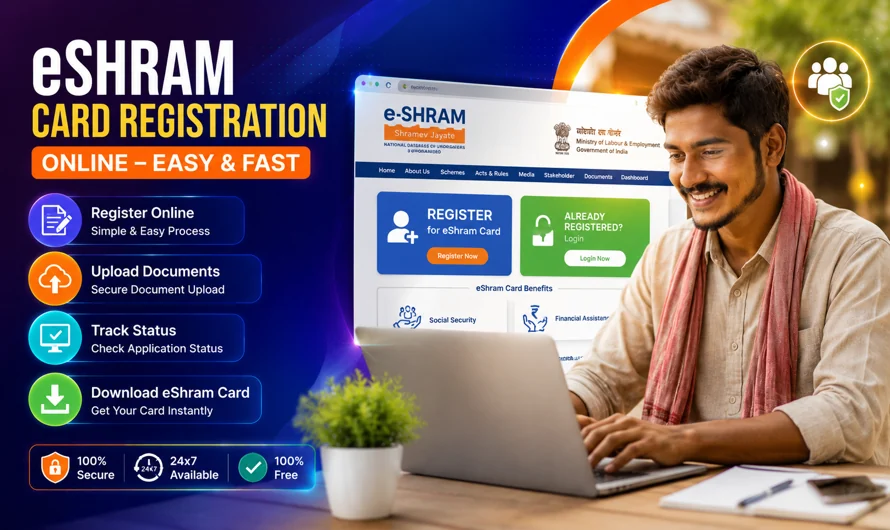
Completing eShram Card Registration Online is simple if you have all the required documents ready. The registration process is completely free through the official e-Shram portal. Eligible workers can either register themselves using Aadhaar OTP authentication or visit a nearby Common Service Centre (CSC) if they need assistance.
Before beginning the registration process, ensure that your Aadhaar card is linked with your active mobile number. This is necessary for OTP verification during self-registration. If your mobile number is not linked with Aadhaar, you can still register by visiting a CSC where biometric authentication can be used.
Step 1: Visit the Official e-Shram Portal
Open your preferred web browser and visit the official e-Shram website.
On the homepage, click on the Register on e-Shram option to begin the online registration process.
Always use the official government website to avoid fraud or fake portals.
Step 2: Enter Aadhaar-Linked Mobile Number
Enter your Aadhaar-linked mobile number.
You may also need to:
- Enter the CAPTCHA code.
- Confirm whether you are a member of EPFO or ESIC (if prompted).
- Click Send OTP.
You will receive a One-Time Password (OTP) on your registered mobile number.
Step 3: Verify Aadhaar Details
Enter the OTP received on your mobile phone.
The portal will automatically fetch your Aadhaar details, such as:
- Full Name
- Date of Birth
- Gender
- Photograph
Verify that all information is correct before proceeding.
Step 4: Fill Personal Information
Provide your personal details carefully, including:
- Father’s or Husband’s Name
- Marital Status
- Category
- Blood Group (if applicable)
- Disability Status
- Nominee Details
Ensure all information is accurate to avoid future correction requests.
Step 5: Enter Address Details
Provide your complete residential address.
Include:
- House Number
- Village or City
- District
- State
- PIN Code
If you are a migrant worker, provide your current address correctly.
Step 6: Education and Occupation Details
Choose your:
- Education Qualification
- Primary Occupation
- Secondary Occupation (if applicable)
- Skill Category
- Nature of Employment
Selecting the correct occupation helps the government identify eligible beneficiaries for different welfare schemes.
Step 7: Bank Account Information
Enter your bank details carefully.
Required information includes:
- Bank Name
- Account Number
- IFSC Code
Double-check the account number before submitting.
Step 8: Review the Application
Before submitting, review all entered details carefully.
Check:
- Aadhaar Details
- Address
- Occupation
- Bank Details
- Mobile Number
Correct any mistakes before final submission.
Step 9: Submit Registration
Click Submit.
After successful registration, your Universal Account Number (UAN) will be generated.
You can immediately download your digital e-Shram Card in PDF format.
Documents Required for eShram Card Registration Online
After successful registration, downloading the card is easy.
Follow these steps:
- Visit the official e-Shram portal.
- Click Already Registered.
- Log in using Aadhaar verification.
- Verify the OTP.
- Open your profile.
- Click Download UAN Card.
- Save the PDF on your mobile or computer.
- Print the card if required.
Keeping a digital copy is recommended for future use.
How to Update e-Shram Card Details
Sometimes workers change their mobile number, address, occupation, or bank account.
The e-Shram portal allows registered users to update their profile whenever necessary.
You can update:
- Mobile Number
- Address
- Occupation
- Educational Qualification
- Bank Details
- Nominee Information
- Skill Details
Always keep your profile updated so you remain eligible for government welfare schemes.
What is UAN Number?
The Universal Account Number (UAN) is a unique 12-digit identification number issued after successful registration.
This number:
- Remains the same throughout your lifetime.
- Helps identify registered workers.
- Can be used for future profile updates.
- Links your information with various government welfare initiatives.
Keep your UAN safe for future reference.
Common Registration Errors and Solutions
Many applicants face small issues during registration. Here are some common problems and their solutions.
OTP Not Received
Possible reasons:
- Poor network coverage
- Incorrect mobile number
- Aadhaar not linked with the mobile number
Solution:
- Wait for a few minutes and try again.
- Verify that your Aadhaar-linked mobile number is active.
Aadhaar Authentication Failed
Possible reasons:
- Incorrect Aadhaar details
- Biometric mismatch
Solution:
- Recheck the Aadhaar number.
- Visit a nearby CSC for biometric verification.
Bank Account Error
Possible reasons:
- Incorrect IFSC Code
- Wrong Account Number
Solution:
- Verify bank details before submitting.
Occupation Not Found
Some users cannot find their exact occupation.
Solution:
Choose the closest matching occupation available in the list.
Website Not Opening
Heavy traffic may slow down the portal.
Solution:
- Try again after some time.
- Use an updated browser.
- Clear browser cache.
Tips for Successful Registration
To avoid errors, follow these tips:
- Use the latest version of Chrome or Edge.
- Keep Aadhaar linked with your mobile number.
- Enter your bank details carefully.
- Select the correct occupation.
- Review all details before submission.
- Save the acknowledgement after registration.
- Download the UAN card immediately.
- Keep a printed copy for future reference.
Conclusion
e-Shram Card Registration Online 2026 is an important initiative by the Government of India to create a comprehensive database of unorganised workers and improve their access to welfare and social security schemes. The online registration process is simple, free, and can be completed in just a few steps using Aadhaar authentication.
Once registered, workers receive a 12-digit Universal Account Number (UAN) and can download their e-Shram Card for future use.By following this eShram Card Registration Online guide, you can complete your registration quickly and download your card without any difficulty.
If you are an eligible unorganised worker, completing e-Shram Card Registration Online 2026 can help you stay connected with government benefits and support programmes. Before submitting your application, ensure that all personal, occupation, and bank account details are accurate to avoid delays or errors.
Keep your profile updated whenever your information changes so that you can continue to receive the benefits available through the e-Shram portal.
⬇ DOWNLOAD LINK 🌐 VISIT WEBSITE