by
by Passport Application Online 2026 :
Applying for a passport has become much easier with the Government of India’s online passport services. Passport Application Online allows eligible citizens to apply for a new passport, renew an existing passport, schedule appointments, and track their application status through the official Passport Seva portal.
The online process saves time, reduces paperwork, and makes passport services more accessible.Whether you are applying for your first passport or renewing an expired one, Passport Application Online provides a simple and secure way to complete most of the application process from home.
By preparing the required documents and following the official steps, you can submit your application smoothly and monitor its progress online.
Table of Contents
What is Passport Application Online?
Passport Application Online is an official digital service that enables Indian citizens to apply for a new passport, renew or reissue an existing passport, book appointments at Passport Seva Kendras (PSKs), pay applicable fees, and track application status through the Passport Seva portal.
Benefits of Passport Application Online
Applying online offers several advantages:
- Apply from anywhere
- Secure online application
- Easy appointment booking
- Online fee payment
- Track application status
- Reduced paperwork
- Faster document management
- Convenient digital services
Eligibility
Generally, Indian citizens who meet the applicable requirements can apply for a passport. Different passport categories may have different eligibility conditions depending on age, purpose, and application type.
Documents Required
Keep the following documents ready before applying:
- Aadhaar Card
- PAN Card (if available)
- Proof of Address
- Proof of Date of Birth
- Passport-size Photograph (if required)
- Existing Passport (for renewal/reissue)
- Mobile Number
- Email ID
Additional documents may be required depending on the application category.
How to Apply for a Passport Online
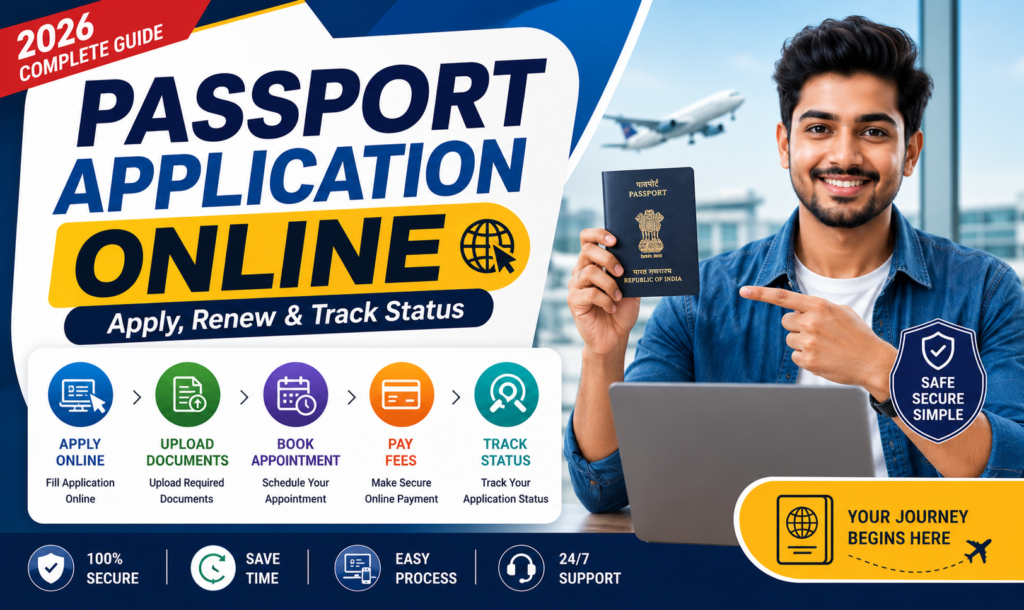
Step 1: Visit the Official Passport Seva Portal
Open the official Passport Seva website.
Step 2: Register or Log In
Create a new account or sign in using your existing credentials.
Step 3: Select Fresh Passport Application
Choose the option to apply for a fresh passport.
Step 4: Fill the Online Application Form
Enter your personal details carefully and review the information before proceeding.
Step 5: Upload Required Information
Complete the required details as instructed on the portal.
Step 6: Pay the Application Fee
Make the payment using the available online payment methods.
Step 7: Book an Appointment
Select your preferred Passport Seva Kendra (PSK) and choose an available appointment slot.
Step 8: Visit the Passport Seva Kendra
Carry the original documents for verification during your scheduled appointment.
Step 9: Police Verification (If Applicable)
Police verification may be conducted based on the passport category and applicable rules.
Step 10: Passport Dispatch
Once the application is approved, the passport is printed and dispatched to your registered address.
How to Renew a Passport Online
To renew or reissue your passport:
- Log in to the Passport Seva portal.
- Select the Passport Renewal/Reissue option.
- Fill in the required information.
- Pay the applicable fee.
- Book an appointment.
- Complete document verification.
How to Track Passport Status
You can easily track your passport application by:
- Logging into the Passport Seva portal.
- Selecting the “Track Application Status” option.
- Entering your application details.
- Viewing the latest status updates.
Common Mistakes to Avoid
Avoid these common mistakes:
- Entering incorrect personal details
- Uploading incorrect information
- Choosing the wrong application category
- Missing the appointment date
- Carrying incomplete documents
- Providing incorrect address details
Can I apply for a passport online?
Yes. Eligible Indian citizens can submit their passport application online through the official Passport Seva portal.
Can I renew my passport online?
Yes. Passport renewal or reissue applications can be initiated online by eligible applicants.
How can I track my passport application?
You can track the application status using the Passport Seva portal.
Is visiting the Passport Seva Kendra mandatory?
Yes. Most passport applications require applicants to visit the Passport Seva Kendra for document verification and biometric capture.
How long does passport processing take?
Processing time depends on the application type, verification process, and local authority procedures.
Conclusion
Passport Application Online has made applying for a new passport, renewing an existing passport, and tracking application status much easier. By using the official Passport Seva portal, preparing the necessary documents, and following the correct procedure, applicants can complete the process efficiently. Always use official government websites and ensure all submitted information is accurate to avoid delays.