by
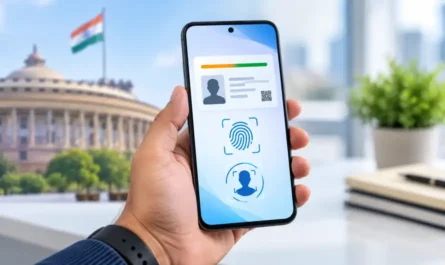
by Summary: Check Mobile Connections in Your Name to find out how many mobile numbers are linked to your identity and identify any connection you do not recognize. You can also use the service to report suspicious calls or messages, block a lost or stolen phone, check a handset’s IMEI and access other useful telecom security services—all from your phone.

Check Mobile Connections in Your Name: Why It Matters
Do you know how many mobile numbers are currently registered in your name? If an unknown SIM connection is linked to your identity, it could create security and privacy concerns. The Government of India provides an official platform that allows users to check mobile connections associated with their name and report numbers they do not recognize. It also offers several useful telecom-security features in one place.
7 Useful Features You Should Know
1. Check SIM Cards Registered in Your Name
You can check the mobile connections associated with your identity. If you notice a number that you did not take or no longer need, the platform provides an option to report it.
2. Report Suspicious Calls and Messages
Received a suspicious call, SMS, or WhatsApp message asking for money or personal information? The Chakshu facility allows users to report suspected fraudulent communications. This can help authorities take action against misuse of telecom services.
3. Block a Lost or Stolen Phone
If your mobile phone is lost or stolen, you can use the service to request blocking of the handset on telecom networks. The system can also help with tracing the device when it is used again.
4. Check Whether a Phone Is Genuine
Planning to buy a new or second-hand phone? You can check the genuineness of a handset using its IMEI number. This can help identify devices with suspicious or tampered IMEI information.
Table of Contents
5. Report International Calls Using Indian Numbers
The service also allows citizens to report suspicious international calls that appear to come from Indian +91 numbers. This helps authorities identify potentially illegal telecom activity.
6. Access Trusted Contact Details
Users can also access trusted contact information for certain banks and financial institutions, helping reduce the risk of contacting fraudulent numbers.
7. Use It Directly From Your Phone
The platform is available as both a website and mobile application. The current official Android listing is published by the Department of Telecommunications and has more than 10 million downloads.
How to Check Mobile Connections in Your Name Online
- Open the official telecom-security platform.
- Choose the option to check mobile connections registered in your name.
- Enter your mobile number and complete the verification process.
- Review the numbers displayed.
- Report any connection that you do not recognize or no longer require.
The mobile app also requires registration using your active mobile number.
What Is the App Called?
The platform is called Sanchar Saathi, an initiative of the Department of Telecommunications, Government of India. It is available on Android and iPhone.
Frequently Asked Questions
Can I check SIM cards registered in my name?
Yes. The service allows users to view mobile connections associated with their name.
Can I report an unknown SIM?
Yes. You can report mobile connections that you did not take or no longer require.
Can I report scam calls?
Yes. The Chakshu facility supports reporting suspected fraudulent calls, SMS and WhatsApp communications.
Can I block a lost phone?
Yes. The service supports blocking and tracing lost or stolen mobile handsets.
Is the service available on iPhone?
Yes. An official iPhone version is available through the Apple App Store.
APP DOWNLOAD BUTTONS
Conclusion
Regularly checking your telecom details can help protect your identity and reduce the risk of misuse. Check Mobile Connections in Your Name to identify unknown SIM connections, report suspicious communications, and use important mobile-security features available through the official service.
Internal Link Suggestion:
Government Services App 2026
Official External Links:
Official Sanchar Saathi Website
Official Google Play – Sanchar Saathi
Official Apple App Store – Sanchar Saathi