by
by Best RAM for Laptop in India (2026)
A slow laptop can be frustrating, whether you’re working from home, attending online classes, editing videos, or enjoying your favorite games. Many users assume that buying a new laptop is the only solution, but in reality, upgrading the RAM is often one of the easiest and most affordable ways to improve overall performance. If you’re searching for the Best RAM for Laptop in India, you’ve come to the right place.
Laptop RAM, or Random Access Memory, is responsible for temporarily storing the data your processor needs while applications are running. Every time you open multiple browser tabs, edit photos, play games, or switch between applications, your laptop relies on RAM to keep everything running smoothly. If your system doesn’t have enough memory, you’ll notice lag, slow application loading, freezing, and poor multitasking performance.
The market offers a wide range of laptop RAM options from trusted brands such as Kingston, Crucial, Corsair, G.Skill, ADATA, and TeamGroup. Choosing the Best RAM for Laptop in India isn’t just about buying the fastest memory. You also need to consider compatibility, RAM generation (DDR4 or DDR5), speed, capacity, voltage, and your laptop’s maximum supported memory.
Whether you’re a student, programmer, gamer, graphic designer, content creator, or office professional, upgrading to the Best RAM for Laptop in India can significantly improve your laptop’s responsiveness. A well-chosen RAM upgrade can reduce loading times, improve multitasking, increase productivity, and provide a smoother overall computing experience without the expense of purchasing a brand-new laptop.
Table of Contents
What Is Laptop RAM?
Laptop RAM is one of the most important hardware components that directly affects your laptop’s speed and multitasking performance.
Whether you’re browsing the web, editing videos, playing games, or running multiple applications simultaneously, RAM plays a crucial role in ensuring a smooth experience.
Why Upgrading Laptop RAM Matters
RAM is one of the few laptop components that can directly improve day-to-day performance without replacing the entire device. If your laptop feels slow even after cleaning storage or reinstalling Windows, a memory upgrade could make a noticeable difference.
Upgrading to the Best RAM for Laptop in India offers several benefits:
- Faster boot times
- Improved multitasking
- Smoother gaming experience
- Better performance in photo and video editing
- Faster web browsing with multiple tabs
- Reduced application crashes
- Improved responsiveness during heavy workloads
- Better overall productivity
For students and office users, upgrading from 8GB to 16GB RAM can transform the laptop experience. Professionals who edit videos, run virtual machines, or compile large software projects may benefit even more from 32GB or higher.
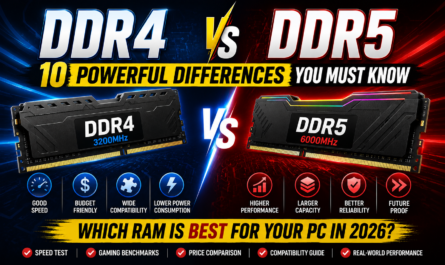
DDR4 vs DDR5 Laptop RAM
Before purchasing memory, it’s important to know whether your laptop supports DDR4 or DDR5 RAM.
DDR4 remains an excellent choice for budget-conscious users and older laptops. It provides stable performance, lower costs, and broad compatibility.
DDR5, on the other hand, offers significantly higher speeds, greater memory bandwidth, lower power consumption, and better
How Much RAM Do You Need?
Selecting the right capacity is just as important as choosing the right RAM type.
8GB RAM
Suitable for:
- Students
- Web browsing
- Microsoft Office
- Online meetings
- Everyday computing
16GB RAM
Ideal for:
- Most gamers
- Programming
- Graphic design
- Photo editing
- Heavy multitasking
32GB RAM
Recommended for:
- 4K video editing
- Professional content creation
- Software development
- Virtual machines
- Engineering applications
64GB RAM
Best for:
- AI workloads
- 3D rendering
- Large-scale simulations
- Enterprise use
- Advanced professional workstations
Choosing the Best RAM for Laptop in India means balancing your budget with your actual performance requirements. For most users in 2026, 16GB DDR4 or DDR5 RAM offers the best mix of speed, value, and future usability.
Signs Your Laptop Needs a RAM Upgrade
Many users don’t realize that insufficient RAM is often the reason behind poor laptop performance. If you experience any of the following issues, it may be time to upgrade to the Best RAM for Laptop in India:
- Frequent system slowdowns
- Long application loading times
- Browser lag with many tabs open
- Freezing while multitasking
- Slow performance during gaming
- Delays in photo or video editing
- High memory usage in Task Manager
- Reduced responsiveness when switching between applications
A RAM upgrade is often more affordable than replacing your laptop and can extend its usable life by several years.
Top 10 Best RAM for Laptop in India (2026)
Choosing the Best RAM for Laptop in India depends on your laptop’s compatibility, the amount of memory you need, and the type of work you do every day. Some RAM modules are designed for gaming, while others are better suited for office work, programming, or professional content creation. Below are the top-performing laptop RAM modules available in India in 2026.
1. Crucial DDR5 Laptop RAM – Best Overall


The Crucial DDR5 Laptop RAM is one of the most reliable choices for users looking to upgrade a modern laptop. Built by one of the most trusted memory manufacturers, it delivers excellent speed, stability, and compatibility. It is available in capacities ranging from 8GB to 64GB, making it suitable for students, professionals, gamers, and content creators.
Specifications
- Memory Type: DDR5
- Form Factor: SO-DIMM
- Speed: Up to 5600 MT/s
- Capacity: 8GB, 16GB, 32GB, 64GB
- Warranty: Limited Lifetime
Pros
- Excellent performance
- Low power consumption
- Wide compatibility
- Reliable brand
- Lifetime warranty
Cons
- Slightly more expensive than DDR4
Best For: Professionals, gamers, and future-proof laptop upgrades.
2. Kingston FURY Impact DDR5 – Best for Gaming


The Kingston FURY Impact DDR5 series is designed for users who demand high performance. It automatically runs at supported speeds without requiring manual BIOS tuning, making it ideal for gaming laptops and powerful workstations.
Specifications
- DDR5 SO-DIMM
- Up to 6400 MT/s
- Plug-and-Play support
- Low voltage operation
- Lifetime warranty
Pros
- Outstanding gaming performance
- Fast application loading
- Excellent multitasking
- Premium build quality
Cons
- Premium pricing
Best For: Gaming laptops and high-performance users.
3. Corsair Vengeance DDR5 SODIMM – Best Premium Choice


Corsair has long been known for producing premium memory modules. The Vengeance DDR5 SODIMM series combines exceptional speed with dependable reliability, making it a favorite among creators and enthusiasts.
Specifications
- DDR5
- Up to 5600 MT/s
- Premium heat management
- Lifetime warranty
Pros
- Premium performance
- Excellent reliability
- Great multitasking
- Trusted brand
Cons
- Higher cost
Best For: Video editing, software development, and content creation.
4. Crucial DDR4 Laptop RAM – Best Value for Money


For laptops that support DDR4 memory, Crucial DDR4 remains one of the Best RAM for Laptop in India. It delivers excellent performance at an affordable price and is compatible with a wide range of laptops.
Specifications
- DDR4
- Up to 3200 MT/s
- 8GB to 32GB
- Low voltage
Pros
- Affordable
- Stable performance
- Easy installation
- Excellent compatibility
Cons
- Not suitable for DDR5 laptops
Best For: Budget laptop upgrades.
5. Kingston ValueRAM DDR4 – Best Budget RAM
Kingston ValueRAM focuses on stability rather than flashy features. If you simply need reliable RAM for office work, browsing, and multitasking, it is an excellent choice.
Specifications
- DDR4
- 3200 MT/s
- SO-DIMM
- Lifetime warranty
Pros
- Excellent value
- Reliable performance
- Trusted manufacturer
Cons
- Basic design
Best For: Students and office users.
6. ADATA Premier DDR5 Laptop RAM
ADATA’s Premier DDR5 series delivers fast performance while maintaining excellent efficiency. It is ideal for users upgrading to newer Intel and AMD laptop platforms.
Pros
- High speed
- Low voltage
- Reliable performance
- Good pricing
Cons
- Fewer capacity options
7. TeamGroup Elite DDR5 Laptop RAM
TeamGroup has become increasingly popular due to its excellent balance between price and performance.
Pros
- Good value
- Stable speeds
- Trusted quality
Cons
- Limited availability in some regions
8. Lexar DDR5 Laptop RAM
Lexar offers dependable DDR5 memory for productivity and gaming laptops. It provides smooth multitasking and consistent performance for demanding workloads.
Pros
- Reliable
- Fast
- Affordable
Cons
- Availability may vary
9. Samsung Original Laptop RAM
Samsung manufactures memory chips used by many laptop brands. Their original laptop RAM modules are known for exceptional compatibility and long-term reliability.
Pros
- OEM quality
- Excellent compatibility
- Stable performance
Cons
- Fewer retail variants
10. SK hynix Laptop RAM
SK hynix is one of the world’s largest memory manufacturers. Their RAM modules are commonly found in premium laptops and offer dependable performance for everyday use.
Pros
- Excellent reliability
- Good power efficiency
- OEM quality
Cons
- Limited consumer branding
Performance Comparison Table
| RAM Model | Memory Type | Maximum Speed | Best For |
|---|---|---|---|
| Crucial DDR5 | DDR5 | 5600 MT/s | Overall Performance |
| Kingston FURY Impact | DDR5 | 6400 MT/s | Gaming |
| Corsair Vengeance | DDR5 | 5600 MT/s | Professional Work |
| Crucial DDR4 | DDR4 | 3200 MT/s | Budget Upgrade |
| Kingston ValueRAM | DDR4 | 3200 MT/s | Office Use |
| ADATA Premier | DDR5 | 5600 MT/s | Everyday Performance |
| TeamGroup Elite | DDR5 | 5600 MT/s | Value for Money |
| Lexar DDR5 | DDR5 | 5600 MT/s | Productivity |
| Samsung Original | DDR4/DDR5 | Varies | OEM Reliability |
| SK hynix | DDR4/DDR5 | Varies | Long-Term Stability |
Which RAM Should You Choose?
If you’re upgrading a modern laptop, DDR5 RAM is the best long-term investment thanks to its higher speeds and better efficiency. However, if your laptop supports only DDR4, upgrading to a high-quality DDR4 module from brands like Crucial or Kingston is still one of the smartest ways to improve performance.
When selecting the Best RAM for Laptop in India, always check your laptop’s maximum supported capacity, RAM type, and speed before purchasing. Even the fastest RAM won’t perform correctly if it isn’t compatible with your system.
Laptop RAM Buying Guide (2026)
Buying the Best RAM for Laptop in India is not simply about choosing the highest speed or the biggest capacity. Your laptop’s motherboard, processor, and operating system all determine which RAM module will work properly. Purchasing incompatible memory can waste money and may even prevent your laptop from booting.
This buying guide explains everything you need to know before upgrading your laptop RAM.
Check Laptop Compatibility First
Before purchasing any RAM, always verify your laptop’s specifications.
You should check:
- RAM generation (DDR4 or DDR5)
- Maximum supported RAM capacity
- Maximum supported RAM speed
- Number of RAM slots
- Whether the RAM is upgradeable or soldered
Many modern ultrabooks come with soldered memory that cannot be upgraded. Therefore, compatibility should always be your first priority when selecting the Best RAM for Laptop in India.
Choose the Right RAM Capacity
One of the biggest mistakes users make is buying either too little or too much memory.
8GB RAM
Suitable for:
- Students
- Online classes
- Office work
- Web browsing
- Microsoft Office
16GB RAM
Recommended for:
- Gaming
- Programming
- Photoshop
- Graphic design
- Heavy multitasking
For most users, 16GB is the Best RAM for Laptop in India because it offers the ideal balance between price and performance.
32GB RAM
Perfect for:
- Video editing
- Software development
- 3D designing
- Engineering software
- Virtual machines
64GB RAM
Ideal for:
- AI development
- Enterprise workloads
- Professional editing
- Scientific computing
- Heavy rendering
RAM Speed Explained
RAM speed directly affects how quickly your laptop transfers data between the processor and memory.
DDR4 Recommended Speeds
- 2666 MT/s
- 2933 MT/s
- 3200 MT/s
DDR5 Recommended Speeds
- 4800 MT/s
- 5200 MT/s
- 5600 MT/s
- 6400 MT/s
Although faster RAM improves performance, your laptop will only run at the maximum speed supported by its motherboard and processor.
Single Channel vs Dual Channel RAM
Many users overlook this important factor.
Single Channel
- One RAM module
- Lower bandwidth
- Lower gaming performance
Dual Channel
- Two identical RAM modules
- Better multitasking
- Improved gaming FPS
- Faster overall performance
If your laptop has two RAM slots, installing two identical memory modules is usually the best option.
Example:
✔ 2 × 8GB RAM is generally better than 1 × 16GB RAM because it enables dual-channel operation.
How to Install Laptop RAM
Upgrading laptop RAM is usually a simple process.
Step 1
Turn off the laptop completely.
Step 2
Disconnect the charger and remove the battery if possible.
Step 3
Open the back panel carefully.
Step 4
Locate the RAM slots.
Step 5
Insert the new RAM module at approximately a 45-degree angle.
Step 6
Press down gently until the clips lock into place.
Step 7
Close the laptop and restart it.
Step 8
Verify the installed memory in Windows Task Manager or BIOS.
Common RAM Buying Mistakes
Avoid these mistakes when purchasing the Best RAM for Laptop in India:
- Buying DDR5 RAM for a DDR4 laptop
- Buying DDR4 RAM for a DDR5 laptop
- Ignoring the maximum RAM capacity
- Choosing unsupported RAM speeds
- Mixing different RAM brands and speeds
- Installing only one module when dual-channel is possible
- Purchasing RAM without checking laptop compatibility
- Assuming all laptops support memory upgrades
Best Laptop RAM Brands in India
When looking for the Best RAM for Laptop in India, choosing a trusted manufacturer ensures better reliability and warranty support.
Crucial
Known for excellent compatibility and long-term reliability.
Kingston
Offers premium quality RAM with outstanding stability.
Corsair
Popular among gamers and professionals.
ADATA
Excellent value for money.
TeamGroup
Reliable performance at competitive prices.
Samsung
OEM-quality memory trusted by many laptop manufacturers.
SK hynix
One of the world’s leading memory chip manufacturers with excellent reliability.
Frequently Asked Questions (FAQs)
Which is the Best RAM for Laptop in India?
For most users, Crucial DDR5 Laptop RAM is the best overall choice due to its performance, compatibility, and reliability. If your laptop supports only DDR4, Crucial DDR4 and Kingston ValueRAM are excellent alternatives.
Is 8GB RAM enough in 2026?
Yes, for basic tasks such as web browsing, online classes, and office work. However, 16GB RAM is recommended for smoother multitasking and better long-term performance.
Is DDR5 better than DDR4?
Yes. DDR5 provides higher speeds, improved bandwidth, and better power efficiency. However, it requires compatible hardware.
Can I upgrade my laptop RAM myself?
Yes, if your laptop has upgradeable SO-DIMM slots. Some ultrabooks and thin laptops use soldered RAM that cannot be upgraded.
Which RAM brand is the most reliable?
Crucial, Kingston, Corsair, Samsung, and SK hynix are among the most trusted RAM manufacturers available in India.
Final Verdict
Choosing the Best RAM for Laptop in India depends on your laptop’s compatibility, your workload, and your budget. For most users, upgrading from 8GB to 16GB RAM delivers the biggest improvement in everyday performance, making multitasking, web browsing, gaming, and productivity much smoother. If your laptop supports DDR5, investing in the latest memory technology is a smart long-term decision because it offers higher speeds, improved bandwidth, and better power efficiency. However, if your system is limited to DDR4, there’s no need to worry—high-quality DDR4 RAM from trusted brands still provides excellent performance for most tasks.
Among all the options reviewed, Crucial DDR5 Laptop RAM stands out as the best overall choice due to its outstanding compatibility, reliability, and performance. Kingston FURY Impact DDR5 is perfect for gamers and power users, while Corsair Vengeance DDR5 is an excellent option for professionals and content creators. Budget-conscious users with older laptops can confidently choose Crucial DDR4 or Kingston ValueRAM, both of which offer excellent value for money.
Before buying the Best RAM for Laptop in India, always verify your laptop’s supported RAM type, maximum capacity, and speed. A well-planned RAM upgrade can significantly improve your laptop’s speed, responsiveness, and overall user experience without the need to purchase a new device.
Why the Best RAM for Laptop in India Is Worth Upgrading
Upgrading to the Best RAM for Laptop in India is one of the most cost-effective ways to improve laptop performance in 2026. Whether you’re a student attending online classes, a programmer compiling large projects, a gamer seeking smoother gameplay, or a content creator editing high-resolution videos, the Best RAM for Laptop in India can make a noticeable difference in everyday performance. Choosing the Best RAM for Laptop in India ensures faster multitasking, quicker application loading, and better overall responsiveness. Before making a purchase, compare the Best RAM for Laptop in India based on compatibility, capacity, speed, and warranty. By selecting the Best RAM for Laptop in India from trusted brands like Crucial, Kingston, Corsair, Samsung, or SK hynix, you’ll enjoy reliable performance and a future-ready laptop experience for years to come.
https://semiconductor.samsung.com
https://www.computric.in/best-ddr4-vs